How to keep your API keys safe in Cursor
Cursor's agent works right inside your project and can run commands on your machine. That's what makes it so fast, and it's also why secrets need more care. Here's what Cursor's ignore rules do, where they stop, and the simple fix: don't keep provider keys on your machine at all.
The short answer
- Add
.envand credential files to.cursorignore. - Know the limit: Cursor says its terminal and MCP tools can't enforce it.
- Review commands before they run, especially anything that reads files or prints the environment.
- Never paste keys into chat or commit them to git.
- Use SyncNode so provider keys never live on your machine.
Where keys go wrong in Cursor
The terminal gap
.cursorignore blocks files from Agent, Tab and @ mentions. But Cursor's docs say its terminal and MCP tools can't enforce that block, and that complete protection isn't guaranteed.
Agent reads freely
Cursor's agent security page says reading files and searching code don't need your approval. So anything readable can end up in what the agent sees, unless it's ignored.
Git history
A key committed once stays in your git history even after you delete it from the file. Assume any key that reached a public repo is compromised.
How to lock down secrets in Cursor
-
Add a .cursorignore file
Create it in your project root using the patterns Cursor recommends. The block below covers environment files, credentials and private keys.
-
Add the same patterns globally
Cursor's user settings have a global ignore list that applies to every project. It starts empty, so one setup protects your future projects too.
-
Review commands before they run
Cursor asks for your approval before terminal commands by default, so keep it that way. Since ignore rules don't cover the terminal, watch for anything like
cat .envorprintenv. -
Keep keys out of chat and git
Don't paste keys into prompts. Add
.envto.gitignorebefore your first commit. -
Move provider keys off your machine
The safest key is the one that isn't there. Keep provider keys in a server-side vault, so there's nothing for a tool to read by accident.
Add this to .cursorignore in your project root:
# Environment files
**/.env
**/.env.*

# Credentials
**/credentials.json
**/secrets.json

# Private keys
**/*.key
**/*.pem
**/id_rsa
Why SyncNode is great for Cursor
Ignore rules try to keep the agent away from your keys. SyncNode removes most of them from your machine, so a gap in the rules matters far less.
Nothing to read
Your OpenRouter, Replicate and FAL keys live in the SyncNode dashboard, not on your disk. No file, terminal command or MCP tool on your machine can read a key that isn't there.
A worst case you can live with
If SYNCNODE_API_KEY does leak, it can't read or change your provider keys. Rotate it and the old one stops working within 30 seconds.
One API for the agent
Point Cursor at syncnode.ai/llms.txt and it can build against one API, rather than installing a new SDK and adding a new key for each provider.
Switch models with one string
Trying a different model is usually a one-line change the agent can make for you, with no new account details in your project.
Moderation in one call
Ask Cursor to add a check before any user content reaches a model. It's one request, with no extra vendor or provider key.
See what the code really did
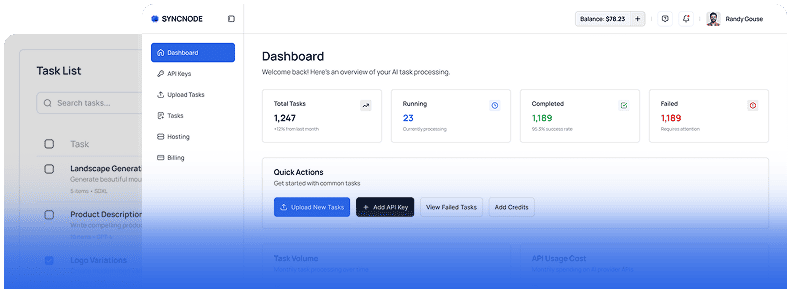
Every task appears on your SyncNode dashboard with its status, cost, inputs and outputs. When agent-written code loops or sends something odd, you can spot it quickly.
Paste this into Cursor
First add your OpenRouter key on the SyncNode API Keys page and create a sn_live_ key. Put it in .env yourself as SYNCNODE_API_KEY. Then paste this:
Add an AI feature that goes through SyncNode. Read https://syncnode.ai/llms.txt for the API.

Create a server route at POST /api/ask. It must require a signed-in user and limit each user to 20 requests per hour.

Read the key only from process.env.SYNCNODE_API_KEY. Don't open .env, print environment variables or put the key in any file.

1. POST the user's text to https://moderate.syncnode.ai with { apiKey, text }. Stop if overall_moderation.safe isn't 1.
2. POST to https://run.syncnode.ai/chat-completion with { apiKey, model: "openai/gpt-4o-mini", messages }.

The frontend only ever calls this route. Never add a provider key to this project.
In a Next.js project, Cursor should end up with a route like this. Change the limit of 20 requests to suit your app.
// Runs on your server, never in the browser.
const KEY = process.env.SYNCNODE_API_KEY; // the only key your app holds

export async function POST(req: Request) {
  // Check the signed-in user and their hourly limit here first.
  const { text } = await req.json();

  // 1. Check what the user sent.
  const mod = await fetch("https://moderate.syncnode.ai", {
    method: "POST",
    headers: { "Content-Type": "application/json" },
    body: JSON.stringify({ apiKey: KEY, text })
  }).then(r => r.json());
  if (mod.overall_moderation?.safe !== 1) {
    return Response.json({ blocked: true });
  }

  // 2. Only safe input reaches the model.
  const res = await fetch("https://run.syncnode.ai/chat-completion", {
    method: "POST",
    headers: { "Content-Type": "application/json" },
    body: JSON.stringify({
      apiKey: KEY,
      model: "openai/gpt-4o-mini",
      messages: [{ role: "user", content: text }]
    })
  });
  return Response.json(await res.json());
}
What SyncNode doesn't fix
No tool removes all the risk, so here's the honest list.
- Your one key can still be read.
SYNCNODE_API_KEYstill sits in your local.env, so keep the ignore rules and review commands. The difference is what a leak can do. - Agent-written code still needs reviewing. SyncNode can't check whether your route requires sign-in or limits each user, so read that part yourself.
- You're moving trust, not removing it. Your provider keys sit with SyncNode instead of on your machine, so keep a spending limit at each provider.
- Each call has a small fee. It's $0.02 per AI call and $0.005 per moderation check, on top of your provider's bill.
Common questions
Treat it as possible. Cursor's built-in ignore list includes .env files, and .cursorignore blocks files from Agent, Tab and @ mentions, so add your .env there explicitly. Even then, Cursor's docs say the terminal and MCP tools can't enforce that block and complete protection isn't guaranteed.
No. It's a useful guardrail, but Cursor's docs say the terminal and MCP tools can't enforce it. The stronger fix is keeping provider keys off your machine.
Privacy Mode is about how your code is handled and stored, not what the agent can open. Use ignore rules to control file access.
Yes. Your project calls SyncNode with a normal HTTPS request from server code, and you can point the agent at syncnode.ai/llms.txt for the API.
Guides for your other tools
How to keep your API keys safe in Lovable
Read the guideHow to keep your API keys safe in Bolt.new
Read the guideHow to keep your API keys safe in Replit
Read the guideLeaked an API key? Do this right now
Read the guideHow to hide your API key in React, Vite and Next.js
Read the guideHow to protect yourself as a vibe coder
Read the full checklistDetails about Cursor come from its official docs, checked on November 2, 2026. Products change, so check them for the latest:
Cursor is a trademark of its owner. SyncNode isn't affiliated with or endorsed by Cursor. This guide is general information, not legal or security advice for your specific app.
Ship fast. Stay protected.
Join the builders behind 9M+ AI runs on SyncNode. Lock away your keys and moderate your users in one afternoon, with $5 free to start.
Start free