How to keep your API keys safe in Replit
Replit gives you a real server and a solid Secrets tool, which is a great start. The catch is that secrets are shared more widely than most people expect. Here's how to set them up properly, and why SyncNode makes sharing much less risky.
The short answer
- Store keys in the Secrets tool, never in code or Configurations.
- Remember that collaborators can see secret values.
- Check your production secrets when you publish.
- Secrets don't work on Static Deployments, so AI calls need a server.
- Use SyncNode so collaborators see one key instead of all your provider keys.
Where keys go wrong in Replit
Collaborators can see them
Replit's docs say multiplayer collaborators can see secret names and values. In an organization, members without the Owner role can see only names, but Replit warns they can still read values by printing environment variables.
Keys in the wrong setting
The same tool also holds Configurations, which are for things like log levels and public URLs. Replit says not to store API keys there.
Static Deployments
Secrets work on every deployment type except Static. A static site runs entirely in the browser, so it can't hold a key safely. AI calls need a server behind them.
How to store keys safely in Replit
-
Add the key to Secrets
Open your project, select Tools, then Secrets, then New Secret. It becomes an environment variable your code can read.
-
Read it from the environment
Use
process.env.SYNCNODE_API_KEYin Node oros.environ["SYNCNODE_API_KEY"]in Python. If Agent writes a key directly into a file, ask it to move the key to Secrets, then replace that key. -
Check production values
Open Publishing, select Adjust settings and find Production app secrets. Confirm your published app has the values you expect.
-
Share carefully
Treat every collaborator as someone who can see your keys. When someone leaves the project, replace the keys they could see.
-
Lock down your routes
A secret stays hidden on the server, but the route that uses it can still be called. Require sign-in and limit each user, or strangers can spend your money.
Why SyncNode is great for Replit
Replit is built for working together, so your secrets get seen by more people. SyncNode keeps your provider keys out of that circle entirely.
Collaborators see one key, not all of them
Your OpenRouter, Replicate and FAL keys stay in the SyncNode dashboard. Someone with access to your project can see SYNCNODE_API_KEY, but it can't reveal your provider keys.
One rotation when someone leaves
Without SyncNode, a teammate leaving could mean replacing a key at every provider. With it, you rotate one key. The old one stops working within 30 seconds.
Great with Account Secrets
Store your key once as a Replit Account Secret and link it to each app. Replit keeps linked secrets in sync, so a new key is one update, and you can then republish any live apps to be sure.
Agent gets one clean API
Point Replit Agent at syncnode.ai/llms.txt and it can build against one API, rather than learning a new SDK and adding a new secret for each provider.
A check for apps other people use
Replit makes it easy to put an app in front of real users quickly. Add one request to your route, and text and images get screened before they reach a model.
Shared visibility for shared projects
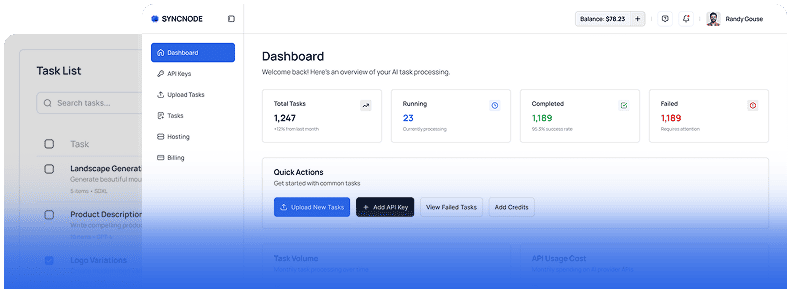
When several people are changing the same app, the SyncNode dashboard shows every task's status, cost, inputs and outputs in one place.
Paste this into Replit Agent
First add your OpenRouter key on the SyncNode API Keys page and create a sn_live_ key. Add it under Tools → Secrets as SYNCNODE_API_KEY. Then paste this:
Add an AI feature that goes through SyncNode.

Create a server route at POST /api/ask. It must require a signed-in user and limit each user to 20 requests per hour.

Read the API key from the environment variable SYNCNODE_API_KEY. Never write the key into a file, log it or send it to the browser.

1. POST the user's text to https://moderate.syncnode.ai with { apiKey, text }. Stop if overall_moderation.safe isn't 1.
2. POST to https://run.syncnode.ai/chat-completion with { apiKey, model: "openai/gpt-4o-mini", messages }.

The frontend only ever calls this route. API reference: https://syncnode.ai/llms.txt
Agent may use Node or Python. In Python, the route's logic looks like this. Change the limit of 20 requests to suit your app.
# Runs on your Replit server, never in the browser.
import os
import requests

KEY = os.environ["SYNCNODE_API_KEY"]  # set in Tools > Secrets

def ask_ai(text):
    # 1. Check what the user sent.
    mod = requests.post("https://moderate.syncnode.ai", json={
        "apiKey": KEY,
        "text": text,
    }).json()
    if mod.get("overall_moderation", {}).get("safe") != 1:
        return {"blocked": True}

    # 2. Only safe input reaches the model.
    res = requests.post("https://run.syncnode.ai/chat-completion", json={
        "apiKey": KEY,
        "model": "openai/gpt-4o-mini",
        "messages": [{"role": "user", "content": text}],
    })
    return res.json()
What SyncNode doesn't fix
No tool removes all the risk, so here's the honest list.
- Collaborators can still use the key. Anyone who can see
SYNCNODE_API_KEYcan run tasks on your account until you rotate it. SyncNode shrinks what they can see, so still share only with people you trust. - Your routes still need protecting. SyncNode can't add sign-in or per-user limits to your Replit server. That part is yours.
- Provider keys live with SyncNode. You're trusting us with them, so set a spending limit at each provider as well.
- It costs a little per call. Expect $0.02 per AI call and $0.005 per moderation check, plus your provider's own charges.
Common questions
Yes. Replit's docs say multiplayer collaborators can see secret names and values. Organization members without the Owner role see only names, but Replit warns they can still read values by printing environment variables.
Check Publishing, then Adjust settings, then Production app secrets. Also check your deployment type, because secrets don't work on Static Deployments.
Replit says non-owners who remix can see secret names only, not values, so they'd need their own keys.
Yes. Any Replit server can call SyncNode with a normal HTTPS request, from Node, Python or anything else.
Guides for your other tools
How to keep your API keys safe in Lovable
Read the guideHow to keep your API keys safe in Bolt.new
Read the guideHow to keep your API keys safe in Cursor
Read the guideLeaked an API key? Do this right now
Read the guideHow to hide your API key in React, Vite and Next.js
Read the guideHow to protect yourself as a vibe coder
Read the full checklistDetails about Replit come from its official docs, checked on November 2, 2026. Products change, so check them for the latest:
Replit is a trademark of its owner. SyncNode isn't affiliated with or endorsed by Replit. This guide is general information, not legal or security advice for your specific app.
Ship fast. Stay protected.
Join the builders behind 9M+ AI runs on SyncNode. Lock away your keys and moderate your users in one afternoon, with $5 free to start.
Start free