How to keep your API keys safe in Lovable
Lovable can build an AI app from a single prompt, and it has good tools for protecting your keys. The trouble starts when a key lands in the wrong place. Here's where each one belongs, and why SyncNode makes the whole job smaller.
The short answer
- Make every AI call from an edge function, never from browser code.
- Add keys under More → Settings → Secrets, not in chat.
- Never put a key in a
VITE_variable. Those end up in the browser. - Require sign-in on any function that spends money.
- Use SyncNode so your project holds one key instead of one per provider.
Where keys go wrong in Lovable
The VITE_ trap
Lovable's docs are clear that VITE_ values are built into the browser bundle, so anyone can read them. If an AI key ends up in one, it's public. Lovable's Secrets manager rejects VITE_ names, so a key in that form has to be sitting in your .env file.
Keys pasted into chat
If you paste a key into chat, Lovable can save it as a secret for you. That doesn't undo the paste, though, and Lovable's own Stripe guide says never to paste a Stripe key into chat. Use the secure form instead.
Open edge functions
A secret stays hidden inside a function, but the function can still be called. If it doesn't check who's calling, a stranger can use it as a free AI service, and you pay.
How to store keys safely in Lovable
-
Move AI calls into an edge function
Edge functions run on the server and read keys from your project's secrets. Your frontend only ever talks to the function.
-
Add the key under Secrets
Go to More → Settings → Secrets and choose Add secret. Secrets are write-only: you can replace or delete one, but nobody can read it back. If you connected your own Supabase project, your secrets live in Supabase instead.
-
Lock down the function
Ask Lovable to require a signed-in user and limit how often each user can call it. This is the step most people skip, and it's what stops a stranger from running up your bill.
-
Set limits at each provider
Set a monthly spending cap in each provider's dashboard, so a mistake has a ceiling.
-
Have a plan for a leak
If a key might be exposed, replace it at the provider, then update the secret in Lovable. It's quick with one key and slow with five.
Why SyncNode is great for Lovable
Lovable's Secrets keep a key out of your code. SyncNode goes one step further: most of your keys never enter the project at all.
One secret under Settings
Add your OpenRouter, Replicate, FAL and other keys once in the SyncNode dashboard. Under Settings → Secrets, your Lovable project stores just SYNCNODE_API_KEY.
Remixes get simple
Lovable doesn't copy manually added secrets when you remix a project. With SyncNode there's only one to re-enter, however many AI services the app uses.
Change models by prompting
Lovable can usually swap one model for another by editing a single string. There's no new SDK to add and no new secret to manage in your project.
A leak stays small
A SyncNode key can run tasks, but it can't read or change your provider keys. If it leaks, rotate it from the API Keys page, and your provider accounts stay untouched.
Safer uploads and prompt boxes
Lovable makes it easy to ship image uploads and prompt boxes. One extra request in your edge function stops unsafe content before it reaches a model, with no separate vendor to sign up for.
See what the function really sends
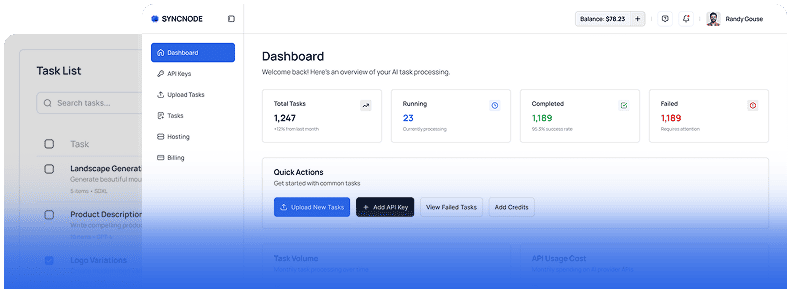
Lovable writes the function for you, so you may not know exactly what it sends. The SyncNode dashboard shows each task's status, cost, inputs and outputs.
Paste this into Lovable
First add your OpenRouter key on the SyncNode API Keys page and create a sn_live_ key. Then paste this:
Add an AI feature that goes through SyncNode.

Create an edge function called ask-ai. It must require a signed-in user and limit each user to 20 requests per hour.

It reads the API key from a secret named SYNCNODE_API_KEY. Ask me for that secret with the secure form. Never put it in code, in chat or in a VITE_ variable.

1. POST the user's text to https://moderate.syncnode.ai with { apiKey, text }. Stop if overall_moderation.safe isn't 1.
2. POST to https://run.syncnode.ai/chat-completion with { apiKey, model: "openai/gpt-4o-mini", messages }.

The frontend only ever calls this edge function. API reference: https://syncnode.ai/llms.txt
Lovable should end up with an edge function along these lines. Change the limit of 20 requests to suit your app.
// Runs on the server, never in the browser.
const KEY = Deno.env.get("SYNCNODE_API_KEY");

Deno.serve(async (req) => {
  // Check the signed-in user and their hourly limit here first.
  const { text } = await req.json();

  // 1. Check what the user sent.
  const mod = await fetch("https://moderate.syncnode.ai", {
    method: "POST",
    headers: { "Content-Type": "application/json" },
    body: JSON.stringify({ apiKey: KEY, text })
  }).then(r => r.json());
  if (mod.overall_moderation?.safe !== 1) {
    return Response.json({ blocked: true });
  }

  // 2. Only safe input reaches the model.
  const res = await fetch("https://run.syncnode.ai/chat-completion", {
    method: "POST",
    headers: { "Content-Type": "application/json" },
    body: JSON.stringify({
      apiKey: KEY,
      model: "openai/gpt-4o-mini",
      messages: [{ role: "user", content: text }]
    })
  });
  return Response.json(await res.json());
});
What SyncNode doesn't fix
No tool removes all the risk, so here's the honest list.
- Your database rules are still yours. SyncNode protects your AI keys. It doesn't set up sign-in, per-user limits or database access rules in your Lovable app.
- A leaked SyncNode key can still spend money. Anyone holding
SYNCNODE_API_KEYcan run tasks until you rotate it, which is why it never goes in aVITE_variable. - You're trusting SyncNode with your provider keys. Keep a spending limit at each provider as a second safety net.
- It adds a small fee. SyncNode charges $0.02 per AI call and $0.005 per moderation check, on top of your provider's bill.
Common questions
For keeping a key out of your code, yes. Lovable encrypts secrets, injects them into your edge functions and doesn't send them to the browser. SyncNode adds a different benefit: fewer keys in the project, a smaller leak if one escapes, plus moderation and call logs.
Not for a secret key. Lovable's docs say VITE_ values are built into the browser bundle, so anyone can read them. Keep secret keys in Secrets and call them from an edge function.
Lovable says manually added secrets aren't copied to a remix, so you enter them again. With SyncNode there's one key to re-enter.
Yes. An edge function can call SyncNode with a normal HTTPS request, and there's no SDK to install.
Guides for your other tools
How to keep your API keys safe in Bolt.new
Read the guideHow to keep your API keys safe in Replit
Read the guideHow to keep your API keys safe in Cursor
Read the guideLeaked an API key? Do this right now
Read the guideHow to hide your API key in React, Vite and Next.js
Read the guideHow to protect yourself as a vibe coder
Read the full checklistDetails about Lovable come from its official docs, checked on November 2, 2026. Products change, so check them for the latest:
Lovable is a trademark of its owner. SyncNode isn't affiliated with or endorsed by Lovable. This guide is general information, not legal or security advice for your specific app.
Ship fast. Stay protected.
Join the builders behind 9M+ AI runs on SyncNode. Lock away your keys and moderate your users in one afternoon, with $5 free to start.
Start free